

Introduction to EmailJS
EmailJSlets you send emails directly from client-side code. You can create dynamic templates and trigger emails with just a few lines of JavaScript.Step by Step Tutorial
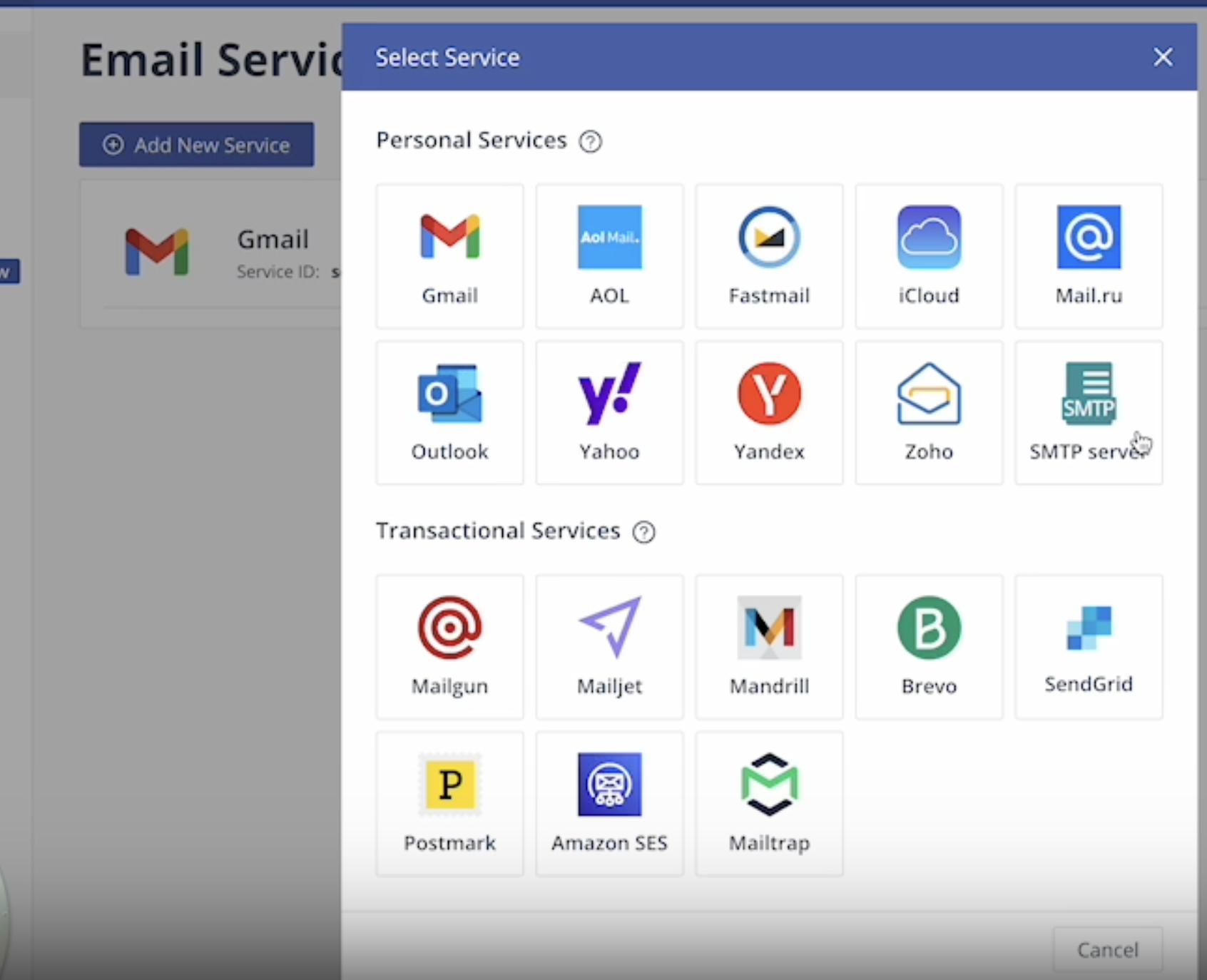
This tutorial walks you through setting up EmailJS to send emails directly from your Magic Patterns design with no database required.Create an EmailJS Account
Create an Email Template
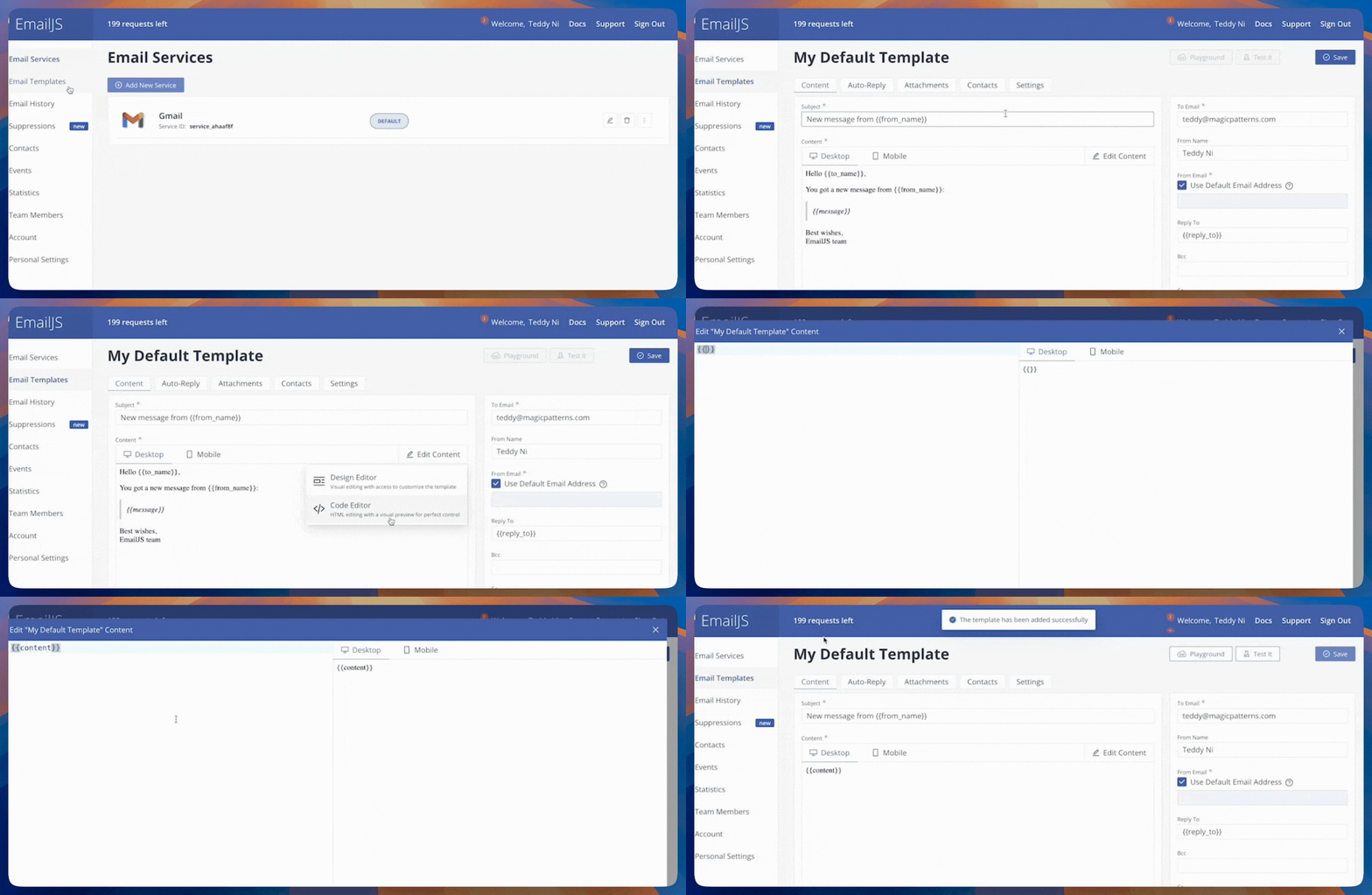
Add your Domain
Go to Account → Security and add an approved domain for email sending (e.g. yourdomain.com).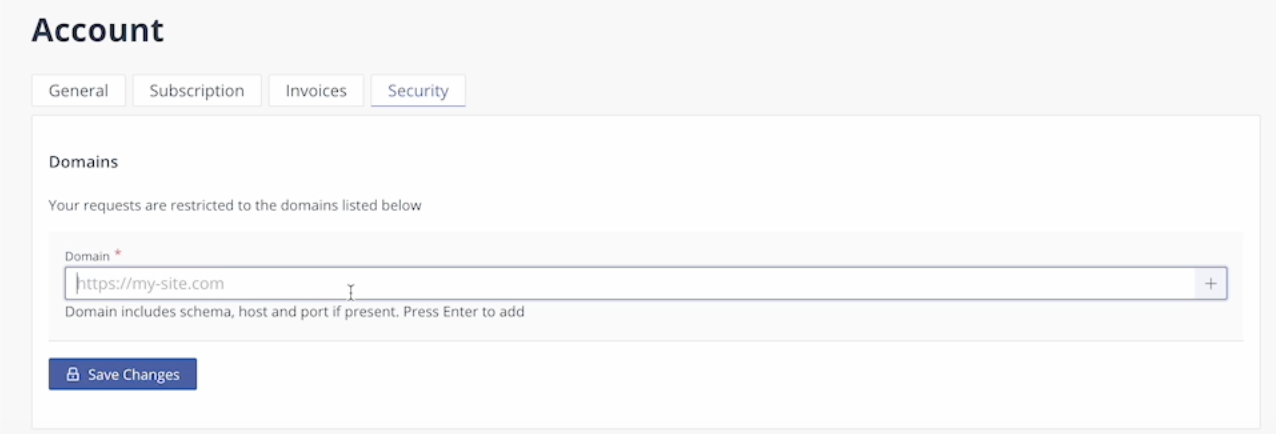
Collect Required Credentials
- EmailJS Public Key: can be found under Account → API Keys.
- Service ID: can be found under Email Services.
- Template ID: can be found under Email Templates → Settings.
FAQ
Can I use EmailJS for free?
Can I use EmailJS for free?
EmailJS’ Free plan offers 200 monthly emails a month.
Can I customize the design of the emails I send?
Can I customize the design of the emails I send?
You can design your own on Magic Patterns or use a open-source library like React Email with templates.
I have more questions about EmailJS.
I have more questions about EmailJS.
Please visit the EmailJS documentation for more information.